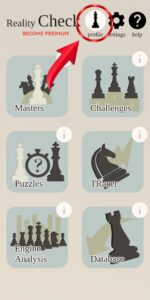
Launch the game on your device and log in with the account you want to delete. Ensure you are connected to the internet.
Access the profile section within the game.
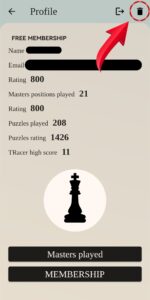
Locate the delete icon in the upper right corner and click on it. This action will guide you through the process of confirming the account deletion.
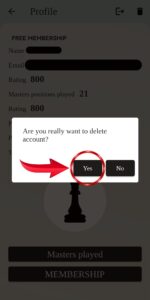
Once you’re sure about your decision, confirm the account deletion. This involves clicking a button “Yes”.
After the deletion process is complete, you will no longer have access to the account, and any associated data will be removed.
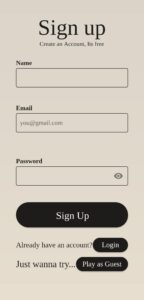
You have successfully deleted your account, and you are now redirected to the game’s homepage.